Introduction
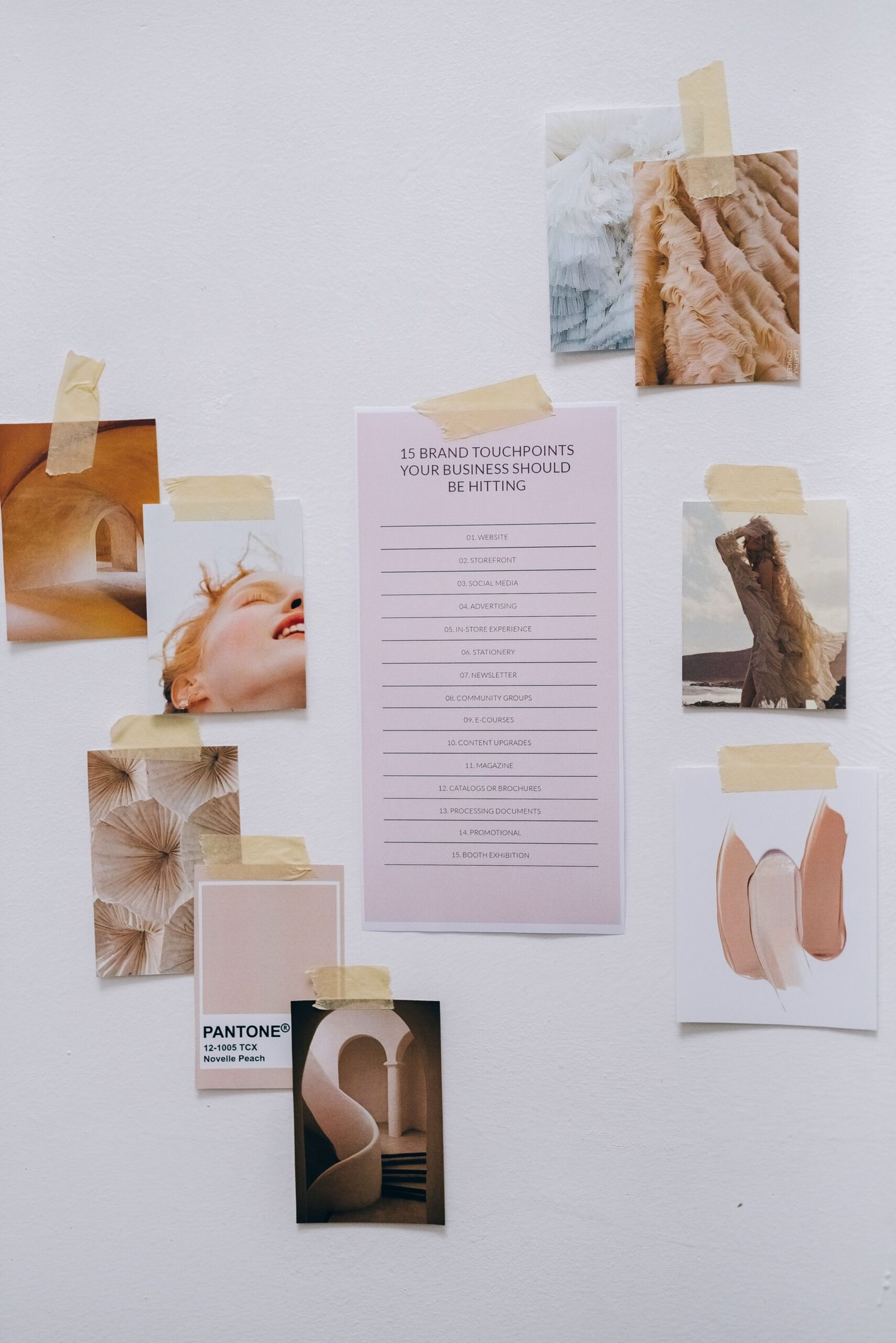
Moodboards are one of the first things I create when starting a design project.
From the outside, they can look like a collection of nice images pulled from Pinterest or Behance, but they’re much more than that. A good moodboard helps you understand the direction of a project before you start designing. It gives you something to react to, challenge, and refine, rather than staring at a blank artboard wondering where to begin.
Over time, I’ve realised the best moodboards aren’t the ones with the most inspiration. They’re the ones with the clearest intention.
Quick Answer: How Do You Create a Graphic Design Moodboard?
To create a graphic design moodboard, start by understanding the project before collecting inspiration.
A simple process looks like this:
- understand the brief
- research visual references
- group similar ideas together
- remove anything that doesn’t support the direction
- refine until a clear visual theme starts to emerge
The goal isn’t to recreate someone else’s work. It’s to create a visual foundation that helps you develop your own ideas.
Start With the Brief, Not Pinterest
It can be tempting to jump straight into collecting inspiration.
I’ve definitely done it myself.
But I’ve found the strongest graphic design moodboard nearly always begin before I open Pinterest or any design website. Spending a little more time understanding the brief gives your research purpose, which makes it much easier to recognise what belongs on your board and what doesn’t.
I usually ask myself questions like:
- Who is the audience?
- What should this brand feel like?
- What problem am I trying to solve?
- Are there any existing brand guidelines?
- What do I want someone to think or feel when they see the finished design?
I usually create a Google Doc where I answer all of these questions before I start researching. That document becomes my working brief, and I’ll link it directly into the relevant project inside my Notion workspace so everything stays connected.
Personally, I think starting with questions is one of the most important parts of the process. It helps me properly understand the brand and the brief before I begin my visual search, which means the inspiration I collect is much more intentional.
Where I Find Inspiration
People often ask where designers find inspiration, and honestly, it rarely comes from just one place.
I tend to move between several different sources depending on the project. Some days I’ll spend time on It’s Nice That, Creative Boom, or Brand New. Other projects might lead me towards photography websites, books, packaging, museums or simply noticing interesting design while I’m out walking around.
I also like asking clients to send references if they’re struggling to explain what they’re looking for. They’re not expected to find the perfect design, but it gives me a much better understanding of what naturally appeals to them.
If I’m honest, I used to avoid Pinterest.
For years I thought it felt a little too “basic”. I had this idea that proper designers discovered inspiration through places like It’s Nice That, Creative Boom or niche design studios, and that using Pinterest somehow made my research less original.
I’ve completely changed my mind.
Pinterest has become one of the most useful visual search engines I use. Rather than replacing those websites, it’s often how I discover them.
One of the things I love most is how well the algorithm learns what you’re interested in. As you save boards and interact with content, it starts surfacing photographers, illustrators, branding studios, magazines and creative businesses that I probably wouldn’t have found otherwise. It’s become less of a destination and more of a gateway to discovering new people and ideas.
I also like that you can tailor the experience. Pinterest now lets you reduce AI-generated content in your feed and gives you much more control over the type of inspiration you’re shown, which makes the results feel far more relevant than they did a few years ago.
These days, Pinterest is usually where my research starts, but it’s very rarely where it ends.
Sketch Before You Research?
This was something I hadn’t really considered until I attended a branding course.
One of the designers suggested sketching ideas before looking at any references. The thinking was that your first concepts are more likely to come from your own imagination rather than being influenced by someone else’s work.
I really liked the idea.
Sometimes it works brilliantly.
Other times I sit there staring at a blank page thinking… nothing is happening here.
When that happens, I don’t force it. I’ll usually start collecting references instead and come back to sketching once I’ve immersed myself in the project.
I don’t think there’s one correct approach. It depends on the project and, if I’m honest, the kind of creative day I’m having.
Collect More Than You Need, Then Curate
One mistake I used to make was trying to build the perfect moodboard straight away.
Now I almost do the opposite.
I’ll collect a broad range of references first, then gradually remove anything that doesn’t support the direction. As I narrow everything down, patterns begin to appear naturally.
I’ve realised the editing stage is often more valuable than the collecting stage.
The fewer references I have by the end, the clearer the project usually becomes.
Organise Your Moodboard Into Themes
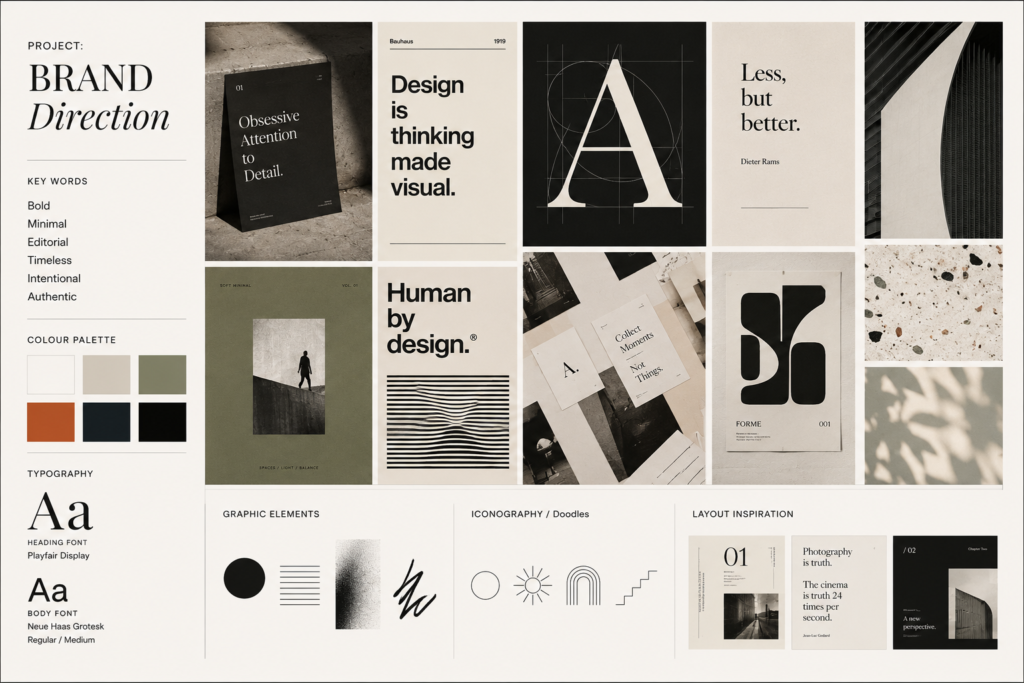
Once I’ve gathered enough inspiration, I like to organise it into smaller groups.
That might include:
- Typography
- Colour
- Photography
- Layout
- Illustration
- Packaging
- Materials or textures
Grouping references like this makes it much easier to spot recurring themes. Sometimes you realise you’ve naturally collected similar colours or layouts without even noticing.
Those little patterns often become the foundation of the design itself.
Using AI to Explore Ideas
AI has become another useful tool in my moodboarding process.
There are some fantastic tools available now, including ChatGPT, Midjourney, Adobe Firefly, Ideogram and Flux, each with slightly different strengths depending on what you’re trying to create.
Personally, I tend to use ChatGPT because it fits naturally into the way I already work. I’m rarely asking it to design something for me. Instead, I use it to help visualise ideas much earlier in the creative process.
Recently, I was working on branding for a race event and needed to show how graphics might look across the event space. Instead of spending hours creating polished mockups before I’d even chosen a direction, I could quickly test different concepts and bring my ideas to life much earlier.
It’s also been surprisingly helpful for smaller tasks. Recently I needed to rotate an image of a chair so it faced roughly ninety degrees to match the layout I was creating. Normally I’d have spent time searching for another image or editing it manually. Instead, I could make the adjustment in minutes and carry on designing.
That’s probably the biggest shift for me.
AI hasn’t replaced my ideas or the design decisions I make. It’s simply removed some of the slower, repetitive jobs that used to interrupt the creative process, giving me more time to focus on refining the work that really matters.
Common Moodboard Mistakes
A few things I’ve learned to avoid over the years:
- collecting far too many references
- copying one designer too closely
- skipping the brief
- following trends instead of solving the problem
- never refining the board
A moodboard should make your thinking clearer, not more complicated.
Final Thoughts
I’ve stopped thinking of moodboards as collections of inspiration. For me, they’re a way of exploring possibilities before committing to a direction. Sometimes they confirm the first idea you had. Sometimes they take you somewhere completely unexpected. Either way, they help you start designing with intention rather than guesswork. And that’s usually where the best ideas begin.
Leave a Reply